Which Is the Best Billing Software for PC? Why Retail Daddy Tops the List in 2024
Table of Contents
- Introduction: Why Choosing the Right Billing Software Matters
- What Is Billing Software for PC?
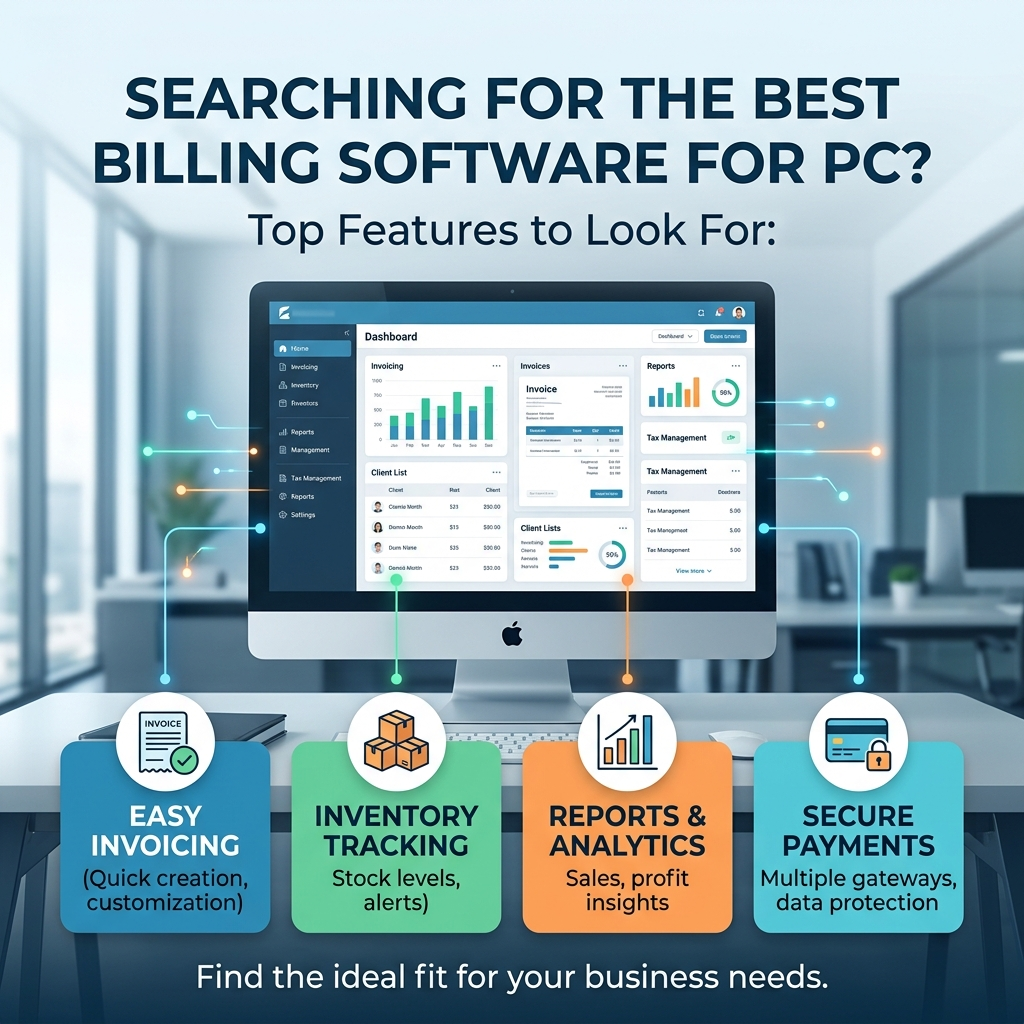
- Key Features to Look for in Billing Software for PC
- Common Problems Retailers Face Without Good Billing Software
- Why Offline Billing Software Is Better Than Online Billing Software
- Which Is the Best Billing Software for PC? Introducing Retail Daddy
- Top Features of Retail Daddy Billing Software
- How Retail Daddy Keeps Your Business Data Safe and Secure
- Who Should Use Retail Daddy Billing Software?
- How Retail Daddy Compares to Other Billing Software for PC
- How to Get Started with Retail Daddy Billing Software
- Real Benefits Retailers Get from Using Retail Daddy
- Frequently Asked Questions About Billing Software for PC
- Conclusion: Make the Smart Choice for Your Business
1. Introduction: Why Choosing the Right Billing Software Matters {#introduction}
If you run a shop, a retail store, or any kind of business where you sell products every day, you already know how important billing is. Every sale, every purchase, every customer transaction — it all needs to be recorded correctly. Making mistakes in billing can cost you money, confuse your customers, and even get you into trouble during tax time.
So when people ask which is the best billing software for PC, they are not just asking a simple question. They are looking for a tool that will make their daily work easier, faster, and safer. They want something that works without any fuss, does not require them to be connected to the internet every time they want to print a bill, and most importantly, something that keeps their business data private and secure.
There are many billing software options available in the market today. Some work online, some work offline, some are expensive, and some are complicated to use. But when you look at all the options carefully, one name clearly stands out — Retail Daddy, the number one billing software for PC among retailers across the country.
In this blog post, we are going to walk you through everything you need to know about billing software for PC, why offline billing software is the smarter choice, and why Retail Daddy is the best option you can find today.
2. What Is Billing Software for PC? {#what-is-billing-software}
Billing software for PC is a program that you install on your computer or laptop to manage all your billing and invoicing tasks. Instead of writing bills by hand or using a basic spreadsheet, billing software does everything automatically. You enter the product, the quantity, and the price — and the software generates a clean, professional bill in seconds.
But modern billing software does much more than just print bills. Here is what a good billing software for PC usually does:
- Creates invoices and bills for customers quickly
- Tracks your inventory so you always know what is in stock
- Records all purchases from your suppliers
- Manages customer information including buying history
- Generates reports so you can understand how your business is performing
- Calculates GST and taxes automatically
- Handles returns and exchanges without confusion
- Maintains supplier details and payment records
When all of these tasks are handled by one reliable piece of software on your PC, your business runs more smoothly. You make fewer mistakes. You save time. And you always have accurate records ready when you need them.
3. Key Features to Look for in Billing Software for PC {#key-features}
Not all billing software for PC is the same. Some are built for big companies with large teams. Others are designed for small and medium retail stores. Before picking any software, you should check if it has these important features:
3.1 Easy to Use Interface
The software should be simple enough that even someone who is not very tech-savvy can use it. If a cashier or shop assistant has to spend hours learning how to use it, it is not practical for day-to-day retail work.
3.2 Fast Processing Speed
When a customer is standing at your counter, you cannot make them wait while the software loads or processes the bill. The best billing software for PC processes transactions in seconds, keeping your checkout line moving fast.
3.3 Offline Working Capability
This is one of the most important things to check. If your billing software needs the internet to work, you are in trouble the moment your connection goes down. A good PC billing software should work completely offline without any interruption.
3.4 Data Security
Your business data is extremely valuable. Your purchase prices, sale prices, supplier details, customer records, and profit margins — all of this information should stay with you. It should not be stored on some online server where others could potentially access it.
3.5 Inventory Management
Good billing software should track your stock levels automatically. Every time you sell something, it should reduce from stock. Every time you receive new stock, it should be added. This way you always know what you have.
3.6 GST and Tax Calculation
For businesses in India, GST calculation is essential. The software should automatically apply the correct GST rates and generate GST-compliant invoices.
3.7 Reports and Analytics
You should be able to see daily sales reports, profit and loss summaries, best-selling products, and more — all at the click of a button.
3.8 Affordable Pricing
Good billing software does not have to be expensive. Many small retailers cannot afford costly subscriptions. The best billing software for PC should give great value for money.
4. Common Problems Retailers Face Without Good Billing Software {#common-problems}
Many small and medium retailers still rely on manual billing, basic excel sheets, or outdated software. This creates a lot of problems that they might not even realize are costing them money and time.
Manual Billing Errors
When bills are written by hand, mistakes happen. You might write the wrong price, forget to add GST, or give a customer the wrong total. These small errors add up over time and can lead to losses.
No Clear Inventory Record
Without billing software, it is hard to track how much stock you have. You might order too much of one product and run out of another. This directly affects your sales and customer satisfaction.
Data Loss Risk
Paper records and basic spreadsheets can be lost, damaged, or accidentally deleted. Without proper software, years of business data could disappear overnight.
Slow Checkout Process
Calculating bills manually is slow. During busy hours, long queues frustrate customers and they may choose to shop elsewhere next time.
No Insight into Business Performance
Without reports and analytics, you are running your business blind. You do not know which products are making you the most money, which suppliers are giving you the best deals, or how your sales are trending month over month.
Tax Compliance Issues
Manual GST calculations are error-prone. Incorrect tax filing can result in penalties and legal trouble.
All of these problems disappear when you use the right billing software for PC.
5. Why Offline Billing Software Is Better Than Online Billing Software {#offline-vs-online}
This is a debate that many business owners have today. Should you go with online billing software (also called cloud-based software) or offline billing software that is installed directly on your PC?
Let us look at both sides clearly.
Online Billing Software — The Drawbacks
Online or cloud-based billing software stores all your data on the internet. This means:
- You need a stable internet connection at all times. If the internet goes down, you cannot bill customers.
- Your data is stored on someone else’s server. This raises serious privacy concerns. Your purchase price, sale price, supplier details, customer information — all of it sits on a remote server.
- Security risks are higher. Even with the best technology available today, online data can be at risk from hackers. And here is something important to think about — even AI-powered tools and systems could potentially access or analyze your data if it is stored online. Your sensitive business information like your purchase price, your sale price, and your supplier details should stay with you — not on the internet.
- Monthly subscription costs add up. Most online billing software charges you every month. This is an ongoing cost that never stops.
- Speed depends on your internet connection. A slow internet day means a slow billing day.
Offline Billing Software — The Advantages
Offline billing software like Retail Daddy is installed directly on your PC. This means:
- It works without the internet. No connectivity issues, no downtime.
- Your data stays on your computer. Nobody else has access to it.
- Processing is very fast. Since everything happens on your own PC, there is no delay.
- No ongoing subscription costs in many cases.
- Complete privacy. Your purchase price, sale price, and supplier details are visible only to you.
The choice is clear. For most retail businesses, especially those in areas where internet connectivity may not always be reliable, offline billing software for PC is the smarter and safer choice.
6. Which Is the Best Billing Software for PC? Introducing Retail Daddy {#introducing-retail-daddy}
So, which is the best billing software for PC right now? After looking at everything the market has to offer, the answer is Retail Daddy.
Retail Daddy is a powerful, easy-to-use, and completely offline billing software for PC that is built specifically for retail businesses. It has been designed keeping in mind the real-world needs of shop owners, supermarket operators, medical store owners, garment retailers, and all kinds of businesses that need fast and reliable billing every day.
What makes Retail Daddy stand out from every other billing software in the market is its combination of:
- Complete offline functionality — works without the internet
- Very fast processing speed — bills are generated in seconds
- Airtight data security — your data stays on your PC, not on any online server
- User-friendly design — easy for anyone to learn and use
- Comprehensive features — covers billing, inventory, purchasing, reports, and more
Retail Daddy is not just another billing software. It is a complete retail management solution that fits on your PC and works exactly when and how you need it to.
🔗 Learn more about Retail Daddy Billing Software: Visit the Official Retail Daddy Website
7. Top Features of Retail Daddy Billing Software {#top-features-retail-daddy}
Let us take a detailed look at what Retail Daddy billing software actually offers:
7.1 Super Fast Billing
Retail Daddy is built for speed. Whether you are in a busy supermarket during the morning rush or handling customers at a clothing store during a sale, Retail Daddy generates bills almost instantly. You can scan barcodes, select products, and print bills in just a few seconds.
7.2 Works 100% Offline
One of the biggest advantages of Retail Daddy is that it works completely offline. You do not need a Wi-Fi connection or a mobile data connection to use it. It is installed on your PC and runs directly from there. This means:
- No internet bills to worry about for running your software
- No billing downtime when the internet is slow or down
- Consistent performance every single day
7.3 Complete Purchase Management
Retail Daddy helps you track all your purchases from suppliers. Every time you receive new stock, you can enter the purchase details including the supplier name, product details, quantity, and purchase price. This creates a full purchase history that you can refer to anytime.
7.4 Sales Management
Every sale made through Retail Daddy is recorded automatically. You can see daily, weekly, or monthly sales at any point in time. This gives you a clear picture of how your business is doing.
7.5 Inventory Tracking
Retail Daddy automatically updates your stock every time a sale or purchase is made. You can set low-stock alerts so that you are reminded when a product is running out and needs to be reordered. This prevents situations where you run out of a popular item.
7.6 Supplier Management
All your supplier details are stored safely in Retail Daddy. Names, contact numbers, payment terms, and purchase history — everything is organized and easy to find. And most importantly, this information stays on your PC only.
7.7 Customer Management
Retail Daddy also lets you store customer information. You can track which customers buy from you regularly, what they purchase, and whether they have any outstanding dues. This helps you build better relationships with your customers.
7.8 GST Billing and Tax Reports
Retail Daddy generates GST-compliant invoices automatically. The correct GST rates are applied based on the product category, and you can generate GST reports easily for tax filing purposes.
7.9 Multiple Payment Modes
Customers pay in different ways today — cash, UPI, card, etc. Retail Daddy supports all major payment modes so you can record the correct payment type for every transaction.
7.10 Detailed Business Reports
Retail Daddy gives you a wide range of reports including:
- Daily sales report
- Monthly sales summary
- Profit and loss report
- Stock report
- Purchase report
- Supplier payment report
- Customer ledger
- GST report
These reports give you real insight into your business and help you make better decisions.
7.11 Barcode Support
Retail Daddy supports barcode scanning, which speeds up the billing process tremendously. Instead of searching for products manually, a quick scan adds the item to the bill instantly.
7.12 Multi-User Support
If your shop has more than one person handling billing, Retail Daddy supports multiple users with individual login credentials. You can also set different levels of access for different staff members.
8. How Retail Daddy Keeps Your Business Data Safe and Secure {#data-security}
Data security is one of the most important reasons why Retail Daddy is considered the best billing software for PC. Let us talk about this in detail.
When you use online or cloud-based billing software, your data is uploaded to a server on the internet. This creates several risks:
- Hacking risks: Online servers, no matter how secure, can be targeted by hackers.
- Data leaks: There have been many cases where customer and business data from cloud-based services has been leaked.
- Third-party access: Companies running cloud software often have access to your data. This means your purchase price, sale price, supplier information, and profit margins could potentially be visible to others.
- AI data concerns: With the rise of AI tools and technologies, online data can sometimes be used in ways you may not expect or want. When your business data is stored online, you cannot fully control how it is used.
Retail Daddy eliminates all of these concerns.
Since Retail Daddy is completely offline billing software, your data never leaves your PC. Here is what that means for your business:
- Your purchase price is private. Only you know how much you are paying your suppliers.
- Your sale price is secure. Competitors cannot access your pricing strategy.
- Your supplier details are protected. No one else can see who your suppliers are or what payment terms you have with them.
- Your customer data stays with you. Personal and transaction data of your customers is stored on your computer only.
- No AI can access your data. Since the data is not on the internet, no online system or AI tool can reach it.
This level of data security is something that cloud-based billing software simply cannot offer. With Retail Daddy, what happens in your business stays in your business.
9. Who Should Use Retail Daddy Billing Software? {#who-should-use}
Retail Daddy billing software is suitable for a wide range of businesses. Here are some of the types of shops and retailers that can benefit the most from using it:
Grocery Stores and Supermarkets
Fast billing, barcode support, and stock management make Retail Daddy perfect for grocery stores that handle hundreds of transactions every day.
Garment and Clothing Stores
With size and variant tracking, Retail Daddy helps clothing retailers manage their inventory more effectively.
Medical and Pharmacy Stores
Pharmacy billing requires accuracy and compliance. Retail Daddy’s GST billing and detailed record-keeping make it a great choice for medical stores.
Electronics Shops
Electronics retailers deal with high-value products. Retail Daddy’s secure data storage ensures that pricing and supplier information stays private.
Hardware and Building Material Stores
These stores often have complex inventories with hundreds of products. Retail Daddy’s inventory management system handles this easily.
Stationery and Book Stores
Retail Daddy’s easy billing and stock tracking work well for stationery shops that have large product catalogs.
General Retail Stores
Any small or medium retail shop that needs fast, reliable, and secure billing can use Retail Daddy with great results.
10. How Retail Daddy Compares to Other Billing Software for PC {#comparison}
| Feature | Retail Daddy | Generic Online Software | Basic Billing Tools |
|---|---|---|---|
| Works Offline | ✅ Yes | ❌ No | ✅ Sometimes |
| Fast Processing | ✅ Very Fast | ⚠️ Depends on Internet | ⚠️ Average |
| Data Stored on Your PC | ✅ Yes | ❌ No (Cloud) | ✅ Yes |
| GST Billing | ✅ Yes | ✅ Yes | ⚠️ Basic Only |
| Inventory Management | ✅ Full | ✅ Full | ❌ Limited |
| Supplier Management | ✅ Yes | ✅ Yes | ❌ No |
| Barcode Support | ✅ Yes | ✅ Yes | ❌ No |
| Complete Data Privacy | ✅ Yes | ❌ No | ✅ Yes |
| AI Data Risk | ❌ None | ⚠️ Possible | ❌ None |
| Easy to Use | ✅ Very Easy | ⚠️ Moderate | ✅ Simple |
| Detailed Reports | ✅ Comprehensive | ✅ Yes | ❌ Limited |
As you can see from the comparison above, Retail Daddy offers the best combination of features, speed, privacy, and ease of use — making it the clear answer to the question of which is the best billing software for PC.
11. How to Get Started with Retail Daddy Billing Software {#getting-started}
Getting started with Retail Daddy is very simple. Here is a step-by-step process:
Step 1: Download or Purchase Retail Daddy
Visit the official Retail Daddy website and download the software or purchase a licensed copy. The installation file is compact and easy to download.
Step 2: Install on Your PC
Run the installation file and follow the on-screen instructions. The installation process is quick and straightforward. You do not need any technical knowledge to install it.
Step 3: Set Up Your Business Profile
Once installed, enter your business details — business name, address, GST number, logo, and other relevant information. This will appear on all your invoices.
Step 4: Add Your Products
Enter all your products into the system with their names, categories, prices, and stock quantities. If you have barcodes on your products, you can scan and add them quickly.
Step 5: Add Your Suppliers
Enter the details of your suppliers — names, contact numbers, and payment terms. This helps you manage your purchase orders and payments later.
Step 6: Start Billing
You are now ready to start billing customers. Select the products, enter quantities, choose the payment method, and print the bill. It is that simple.
Step 7: Explore Reports
After a few days of use, explore the reports section. You will be able to see your daily sales, profit summary, stock levels, and much more.
12. Real Benefits Retailers Get from Using Retail Daddy {#real-benefits}
Here is a summary of the real, practical benefits that retail business owners experience when they switch to Retail Daddy billing software:
- Faster checkout lines because billing happens in seconds
- Fewer billing errors because everything is automated and calculated by the software
- Better stock control because inventory is updated automatically with every sale
- Clearer business picture because detailed reports are always available
- Peace of mind about data privacy because all sensitive business information stays on your PC
- No internet dependency because the software works completely offline
- Professional invoices that build trust with customers
- Easy GST filing because the software generates all the reports you need
- Time saved that can be used to focus on growing the business
- Reduced costs compared to cloud-based software with monthly fees
13. Frequently Asked Questions About Billing Software for PC {#faq}
Q1: Which is the best billing software for PC in India?
A: Retail Daddy is widely considered the best billing software for PC in India, especially for retail businesses. It works offline, processes bills very fast, keeps all your data on your own computer, and offers comprehensive features including inventory management, GST billing, and detailed reports.
Q2: Does Retail Daddy require an internet connection to work?
A: No. Retail Daddy is a completely offline billing software. It is installed on your PC and works without any internet connection. This makes it perfect for shops in areas where internet connectivity may not always be stable.
Q3: Is my business data safe with Retail Daddy?
A: Yes. Since Retail Daddy stores all data locally on your PC, your information never goes online. Your purchase price, sale price, supplier details, customer records, and all other business data remain completely private and accessible only to you.
Q4: Can Retail Daddy handle GST billing?
A: Yes. Retail Daddy generates fully GST-compliant invoices and provides GST reports that make tax filing easier.
Q5: Is Retail Daddy suitable for small shops?
A: Absolutely. Retail Daddy is designed to work for businesses of all sizes — from small neighborhood shops to large supermarkets. Its simple interface makes it easy for anyone to use without any special training.
Q6: What kind of reports does Retail Daddy provide?
A: Retail Daddy provides a wide range of reports including daily sales reports, stock reports, purchase reports, profit and loss summaries, GST reports, supplier payment reports, and customer ledgers.
Q7: Does Retail Daddy support barcode scanning?
A: Yes. Retail Daddy fully supports barcode scanning, which speeds up the billing process significantly.
Q8: Can multiple staff members use Retail Daddy?
A: Yes. Retail Daddy supports multiple users with individual login credentials and customizable access levels.
Q9: How is Retail Daddy better than online billing software?
A: Retail Daddy works offline, processes bills faster, keeps your data completely private on your own PC, and does not require a monthly internet subscription to function. Online software stores your data on remote servers, which raises privacy and security concerns and also depends on a stable internet connection to work.
Q10: Where can I download Retail Daddy billing software?
A: You can download or purchase Retail Daddy from their official website. > 🔗 Click Here to Visit Retail Daddy Official Website
14. Conclusion: Make the Smart Choice for Your Business {#conclusion}
Running a retail business is not easy. There are so many things to manage every day — stock, customers, suppliers, bills, taxes, and more. The last thing you want is billing software that slows you down, puts your data at risk, or stops working because the internet is down.
That is why the answer to which is the best billing software for PC is clearly Retail Daddy. It is fast, it is reliable, it works offline, and most importantly, it keeps all your business data — your purchase price, your sale price, your supplier details, and everything else — completely secure on your own computer. No online risks, no data leaks, and no dependency on the internet.
Whether you run a small grocery store, a clothing shop, a medical store, or a large supermarket, Retail Daddy has everything you need to manage your billing and business operations smoothly and efficiently every single day.
Do not settle for billing software that creates more problems than it solves. Make the smart choice. Switch to Retail Daddy and see the difference it makes in your business from day one.
💬 Have questions about Retail Daddy or billing software for PC? Drop your questions in the comments below — we would love to help!
🔗 Get Started with Retail Daddy Today — Click Here
📌 Also Read:
Last Updated: 2024 | Category: Retail Business\, Billing Software\, PC Software
Leave a Reply