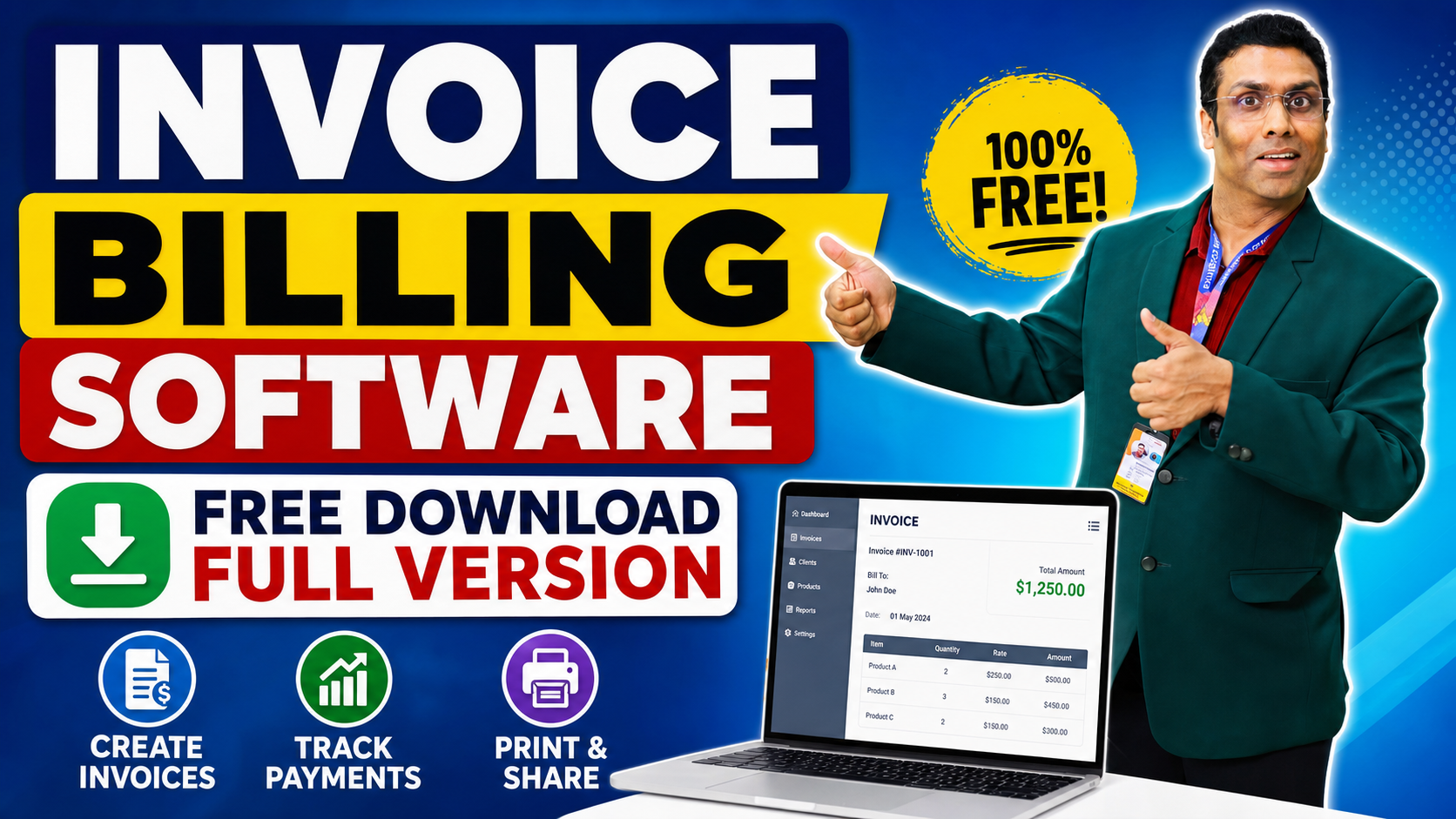
Alternative Title: Invoice Billing Software Free Download Full Version – Everything You Need to Know Before You Choose
Table of Contents
- Why Billing Software Matters for Your Business
- What Is Invoice Billing Software?
- Key Features to Look for in Invoice Billing Software
- Free vs. Paid Invoice Billing Software – What’s the Real Difference?
- What Makes Retail Daddy Cloud Billing Software Stand Out?
- How Retail Daddy Compares to Other Software in the Market
- Step-by-Step: How to Download and Set Up Invoice Billing Software
- Who Should Use Invoice Billing Software?
- Common Billing Mistakes Businesses Make (And How Software Fixes Them)
- How to Get the Most Out of Your Billing Software
- Frequently Asked Questions
- Final Thoughts
1. Why Billing Software Matters for Your Business {#why-billing-software-matters}
Running a business, whether it is a small retail shop, a restaurant, or a growing service company, means you deal with invoices and bills every single day. Writing invoices by hand or using basic spreadsheets used to work fine years ago. But today, when customers expect fast service and accurate bills, doing it the old way can slow you down and cost you money.
That is why so many business owners are now looking for invoice billing software free download full version options. They want something that works right away, does not need a huge upfront investment, and handles all the billing work for them automatically.
Good billing software saves you time, reduces errors, keeps your records clean, and even helps you understand how your business is doing — all from one place. Whether you run a shop with ten customers a day or a service business with hundreds of monthly clients, the right billing tool can make a big difference.
2. What Is Invoice Billing Software? {#what-is-invoice-billing-software}
Invoice billing software is a program or application that helps businesses create, send, manage, and track invoices and payment records. Instead of writing a bill on paper or building a template in a spreadsheet every time, the software does all of that automatically.
Here is what invoice billing software typically does:
- Creates professional invoices with your business name, logo, and contact details
- Adds products or services from a built-in list with prices
- Calculates taxes and discounts without manual math
- Tracks which invoices have been paid and which ones are still pending
- Stores customer information so you do not have to type it again each time
- Generates reports to show you how much money is coming in and going out
When you search for invoice billing software free download full version, you are looking for a complete version of a billing tool that you can use without paying upfront or dealing with limited trial features. A full version gives you access to all the features the software has to offer.
3. Key Features to Look for in Invoice Billing Software {#key-features}
Not every billing software is the same. Some are built for large companies, and others work better for small shops. Before you download anything, here is a list of features that a good invoice billing software should have:
a. Easy Invoice Creation
The software should allow you to create an invoice in just a few clicks. It should have ready-made templates so your invoices always look clean and professional.
b. Product and Inventory Management
A good billing tool should let you add your products or services, set prices, and track your stock levels. This means when you sell something, the software automatically updates your inventory.
c. Customer Database
Being able to save customer details — like name, address, phone number, and purchase history — saves a lot of time. You just pick the customer’s name, and all their information fills in automatically.
d. GST or Tax Calculation
If your business handles GST, VAT, or other taxes, the software should calculate these automatically based on the product type and customer location.
e. Payment Tracking
You should be able to see at a glance which bills have been paid and which ones are still due. This helps you follow up with customers quickly.
f. Reports and Analytics
Good software shows you your sales reports, profit and loss summaries, and daily or monthly business performance. This helps you make smarter decisions.
g. Cloud Access
Cloud-based billing software means you can access your data from anywhere — your office, home, or even your phone. This is a huge advantage for business owners who are always on the move.
h. Multiple User Access
If you have staff, the software should allow multiple users to log in with different access levels. For example, a cashier can create invoices, but only the manager can change prices or view full reports.
4. Free vs. Paid Invoice Billing Software – What’s the Real Difference? {#free-vs-paid}
This is a question that comes up a lot. Many people search for invoice billing software free download full version because they want a fully working tool without spending money. Here is an honest breakdown of what you can expect from free versus paid software:
Free Invoice Billing Software
Pros:
- No cost to start
- Good for testing before committing
- Works well for very small businesses with low billing volume
Cons:
- Often limited in the number of invoices or customers you can manage
- May not include GST or advanced tax features
- Customer support is usually limited or unavailable
- Data storage may be restricted
- May not have cloud sync or mobile access
Paid or Full Version Invoice Billing Software
Pros:
- Full access to all features
- Unlimited invoices, customers, and products
- Regular updates and improvements
- Dedicated customer support
- Better security for your business data
- Cloud-based access from anywhere
Cons:
- Requires a monthly or yearly subscription in some cases
- May have a learning curve for new users
The good news is that some billing software, like Retail Daddy Cloud Billing Software, offers a full-featured version that is highly advanced and comes packed with everything a modern business needs.
5. What Makes Retail Daddy Cloud Billing Software Stand Out? {#retail-daddy}
When it comes to finding the right invoice billing software free download full version, Retail Daddy Cloud Billing Software is one name that businesses across different industries are choosing. And for good reason.
Retail Daddy is not just a basic invoicing tool. It is a fully advanced billing platform built specifically to meet the needs of retail shops, restaurants, service businesses, and more. Here is what makes it different from other software in the market:
Fully Cloud-Based Platform
Retail Daddy works entirely on the cloud. This means you do not need to worry about losing your data if your computer crashes. Everything is stored securely online, and you can log in from any device — desktop, laptop, tablet, or smartphone.
Advanced Inventory Management
Unlike most basic billing tools, Retail Daddy comes with a powerful inventory module. You can add thousands of products, set stock alerts, manage multiple categories, and track stock in real time as you make sales.
GST-Ready Billing
Retail Daddy is built to handle GST calculations automatically. Whether you are selling goods that attract different tax rates or dealing with exempt items, the software takes care of all the tax math for you.
Easy-to-Use Interface
One of the biggest problems with advanced software is that it can feel complicated to use. Retail Daddy is designed with a clean, simple layout so that even someone who is not very tech-savvy can start creating invoices within minutes.
Fast Billing with Barcode Support
For retail shops, speed matters at the checkout counter. Retail Daddy supports barcode scanning, which means you can add products to an invoice instantly just by scanning the barcode. This speeds up billing significantly and reduces the chances of entering the wrong product.
Multiple Payment Modes
Retail Daddy lets you accept payments in multiple ways — cash, card, UPI, or even a mix of payment types on a single bill. This makes it flexible for businesses that handle different kinds of customers.
Detailed Business Reports
The reporting module in Retail Daddy is one of its strongest features. You can view daily sales summaries, monthly revenue trends, profit and loss reports, stock movement reports, and customer purchase histories — all in one place.
Multi-User and Multi-Branch Support
If you have more than one shop or outlet, Retail Daddy lets you manage all your branches from a single account. You can set up different user roles and permissions so each staff member only sees what they need to see.
6. How Retail Daddy Compares to Other Software in the Market {#comparison}
There are many billing software options available, both free and paid. But as stated, Retail Daddy Cloud Billing Software is fully advanced compared to any other software in the market. Let us look at how it stacks up:
| Feature | Basic Free Tools | Other Paid Software | Retail Daddy Cloud |
|---|---|---|---|
| Cloud-Based Access | Sometimes | Yes | Yes |
| Unlimited Invoices | No | Yes | Yes |
| Barcode Scanning | No | Sometimes | Yes |
| GST-Ready | Rarely | Often | Yes |
| Inventory Management | Basic | Moderate | Advanced |
| Multi-Branch Support | No | Sometimes | Yes |
| Mobile App Access | No | Sometimes | Yes |
| Real-Time Reports | No | Yes | Yes |
| Easy Setup | Sometimes | Varies | Yes |
| Customer Support | Limited | Yes | Yes |
As you can see, Retail Daddy offers a comprehensive package that covers features most other software either charges extra for or does not offer at all.
🔗 Visit Retail Daddy Official Website to explore the full list of features and pricing plans.
7. Step-by-Step: How to Download and Set Up Invoice Billing Software {#how-to-download}
If you are ready to start using invoice billing software, here is a simple guide to getting started:
Step 1: Identify Your Business Needs
Before downloading anything, ask yourself:
- How many invoices do I create per day?
- Do I need inventory management?
- Do I need GST billing?
- Will multiple staff members use the software?
- Do I need to access it from my phone?
Step 2: Search for the Right Software
Search for invoice billing software free download full version and compare a few options. Look at reviews, features, and whether it supports your country’s tax system.
Step 3: Visit the Official Website
Always download software from the official website to avoid security risks. For Retail Daddy, go to their official website and explore the available plans.
Step 4: Register Your Account
Most cloud-based software requires you to create an account. You will need your:
- Business name
- Email address
- Phone number
- GST number (if applicable)
Step 5: Set Up Your Business Profile
Once logged in, add your business details:
- Business name and address
- Logo
- Tax details
- Bank details for payment
Step 6: Add Your Products or Services
Enter all your products with:
- Product name
- Price
- Tax category
- Stock quantity (if applicable)
Step 7: Add Your Customers
Import or manually add your customer list. You can usually import from a spreadsheet to save time.
Step 8: Create Your First Invoice
Pick a customer, add products, apply discounts or taxes if needed, and generate the invoice. Most software lets you print it or send it directly via email or WhatsApp.
Step 9: Explore Reports
Check the reporting section to see your daily sales and understand how the business is performing.
8. Who Should Use Invoice Billing Software? {#who-should-use}
Invoice billing software is useful for almost any type of business. Here are some examples:
- Retail Shops – Grocery stores, clothing stores, electronics shops
- Restaurants and Cafes – Table billing, takeaway orders, home delivery
- Service Businesses – Salons, repair shops, cleaning services
- Wholesale Distributors – Managing large orders and bulk pricing
- Pharmacies – Drug inventory and GST billing
- Supermarkets – Fast billing and real-time stock tracking
- Freelancers – Sending professional invoices to clients
- Small Manufacturers – Tracking production and sales together
If your business involves selling a product or a service and collecting payment, then billing software will save you time and help you stay organized.
9. Common Billing Mistakes Businesses Make (And How Software Fixes Them) {#common-mistakes}
Many business owners struggle with billing because they do things manually. Here are the most common mistakes and how good billing software solves them:
Mistake 1: Wrong Calculations
When you calculate taxes or discounts by hand, errors happen. Billing software does all the math automatically, so there are never any calculation mistakes.
Mistake 2: Forgetting to Invoice
It is easy to forget to send a bill, especially during busy periods. Most billing software lets you schedule invoices and sends automatic reminders.
Mistake 3: Losing Paper Records
Paper invoices get lost, torn, or damaged. Digital billing software keeps every record permanently stored and easy to find.
Mistake 4: Not Tracking Payments
Do you know exactly which customers still owe you money? Billing software shows you a clear list of paid and unpaid invoices at all times.
Mistake 5: Inconsistent Invoice Format
When you create invoices manually, they may look different each time. Software ensures every invoice looks the same, which looks more professional to your customers.
Mistake 6: Poor Stock Management
Many businesses run out of stock unexpectedly because they are not tracking it properly. Billing software that includes inventory management shows you real-time stock levels and alerts you when something is running low.
10. How to Get the Most Out of Your Billing Software {#get-the-most}
Once you have downloaded and set up your invoice billing software full version, here are some tips to make sure you use it to its full potential:
Keep Your Product List Updated
Whenever you add a new product or change a price, update it in the software right away. This prevents billing errors and keeps your reports accurate.
Use the Reporting Features Regularly
Do not ignore the reports section. Check your daily sales report every evening and your monthly summary at the end of each month. This helps you spot trends and make better decisions.
Train Your Staff
If you have employees who will use the software, take time to train them properly. Most software providers offer tutorial videos or guides that make this easy.
Enable Automatic Backups
Even though cloud software saves data automatically, it is good practice to check that backups are enabled in your settings.
Collect Customer Feedback
When customers receive a clean, professional invoice, they notice. Ask them if they found the billing process easy and use their feedback to improve.
Use the WhatsApp or Email Sharing Feature
Many modern billing tools let you send invoices directly via WhatsApp or email. This speeds up the billing process and gives customers a digital copy right away.
11. Frequently Asked Questions {#faq}
Q1: Is invoice billing software free download full version really free?
Some software offers a genuinely free version with basic features. Others offer a free trial period after which you need to pay. Always read the terms before downloading to understand what is included.
Q2: Is cloud billing software safe for my business data?
Yes, reputable cloud billing software uses encryption and secure servers to protect your data. Always choose software from a trusted provider.
Q3: Can I use billing software on my mobile phone?
Yes, most modern billing software, including Retail Daddy, is accessible from mobile devices through a browser or dedicated app.
Q4: Does billing software work without the internet?
Cloud-based software requires an internet connection. Some software also offers an offline mode where data syncs once you are back online.
Q5: How many users can I add to my billing software account?
This depends on the software and the plan you choose. Retail Daddy, for example, supports multiple user accounts with different permission levels.
Q6: Can billing software handle GST filing?
Many billing tools, including Retail Daddy, generate GST-ready invoices and reports that make filing your returns much easier.
Q7: Is there customer support if I face a problem?
Good billing software providers offer customer support through phone, email, or chat. Retail Daddy provides dedicated support to help you with any issues.
12. Final Thoughts {#final-thoughts}
Finding the right invoice billing software free download full version is one of the best steps you can take to make your business run more smoothly. Whether you are just starting out or looking to upgrade from basic tools, the right software will save you time, reduce errors, and give you a much clearer picture of how your business is doing.
Retail Daddy Cloud Billing Software stands out as a fully advanced solution compared to any other software in the market. It combines ease of use with powerful features like cloud access, barcode scanning, GST billing, multi-branch management, and real-time reports — making it a strong choice for any business that is serious about getting billing right.
Do not let billing slow your business down. Take the time to explore your options, try a demo, and choose software that truly fits your needs.
📌 Ready to get started? Try Retail Daddy Cloud Billing Software today and see the difference a fully advanced billing solution can make for your business.
💬 Have questions or thoughts? Drop them in the comments below. We would love to hear about your billing challenges and help you find the right solution.
Related Articles You Might Find Helpful:
- How to Create a GST Invoice for Your Business
- Top 10 Tips for Managing Small Business Finances
- How to Choose the Right POS System for Your Retail Shop
- A Beginner’s Guide to Inventory Management for Small Businesses
Last Updated: 2024 | Category: Business Software | Reading Time: Approximately 12 Minutes
Leave a Reply