Table of Contents
- Introduction
- What Is Retail Daddy Billing Software?
- What Is Vyapar Billing Software?
- Quick Comparison Overview
- Installation and Setup Differences
- Online vs Offline – A Critical Difference
- Billing and Invoicing Features Compared
- Inventory Management Differences
- GST and Tax Features Compared
- Reports and Analytics Differences
- User Interface and Ease of Use
- Speed and Performance Differences
- Customer Management Features
- Supplier and Purchase Management
- Barcode and Label Printing
- Data Security and Backup
- Multi-Store and Multi-User Support
- Pricing and Value for Money
- Customer Support and Reliability
- Why Retail Daddy Is More Advanced and Trustworthy
- Final Verdict
- Conclusion
1. Introduction {#introduction}
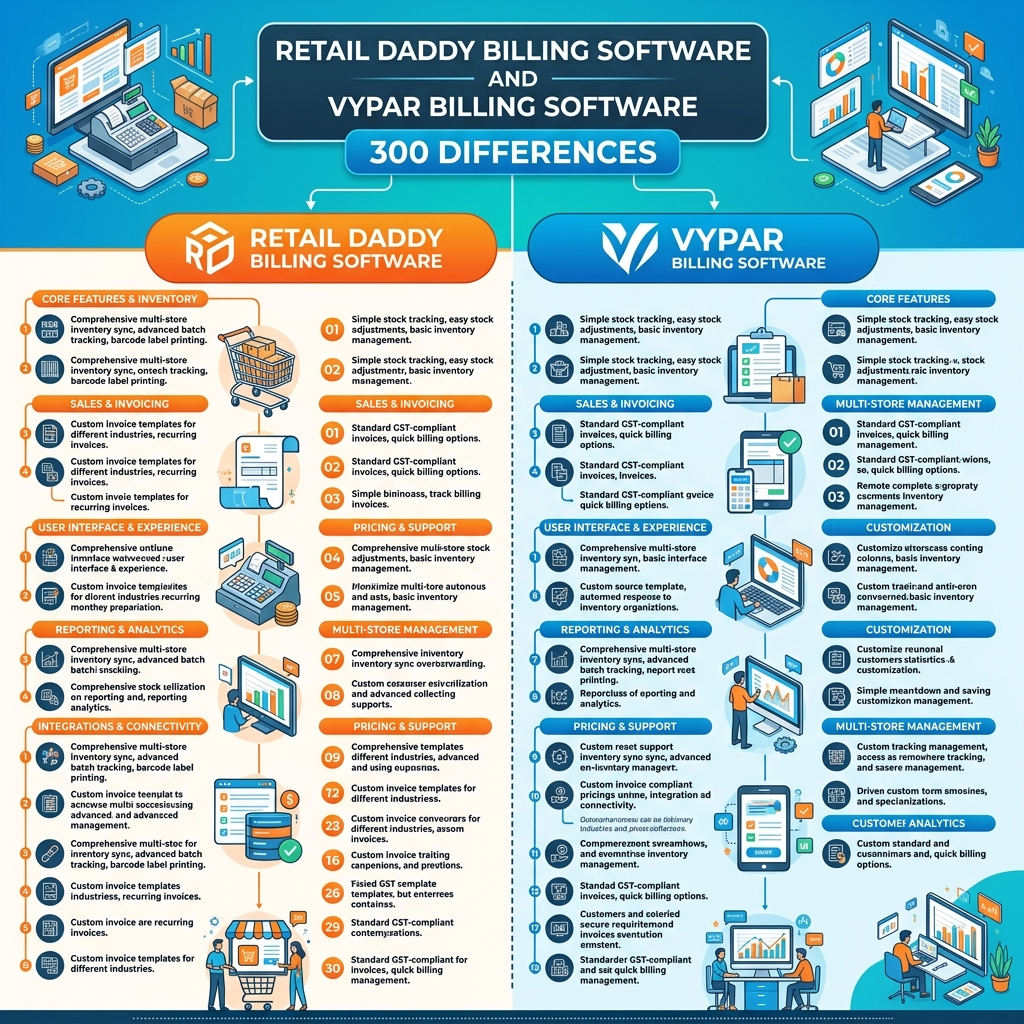
If you are a small business owner or a retailer in India looking for the right billing software, you have probably come across two popular names — Retail Daddy Billing Software and Vyapar Billing Software. Both are used by thousands of shopkeepers, but when you look closely, you will find a huge number of differences between the two. In fact, once you go through all 300 differences between Retail Daddy and Vyapar, you will understand why so many business owners are switching to Retail Daddy.
In this detailed blog post, we break down 300 differences between Retail Daddy billing software and Vyapar billing software so you can make a smart, informed choice. From installation and speed to features, security, and support — we cover everything. Let’s get started.
2. What Is Retail Daddy Billing Software? {#what-is-retail-daddy}
Retail Daddy is a powerful, fully offline billing software designed especially for Indian retailers, shopkeepers, and small to medium businesses. It works without an internet connection, which means your billing never stops — even when the internet is down.
Key highlights of Retail Daddy:
- Works completely offline — no internet needed
- Installed directly on your Windows PC or laptop
- Loaded with advanced features for billing, inventory, GST, reports, and more
- Very fast in processing bills and managing data
- Suitable for grocery stores, garment shops, electronics shops, medical stores, and many more
- Trusted by thousands of shopkeepers across India
- Regular updates and dedicated customer support
- Data stays on your own computer — 100% private and secure
- Easy to use even for people who are not tech-savvy
- Affordable pricing with great value
🔗 Learn more about Retail Daddy: Visit the official Retail Daddy website
3. What Is Vyapar Billing Software? {#what-is-vyapar}
Vyapar is a billing and accounting software that works mostly as an online or cloud-based platform. It is available on Android, Windows, and as a web app. While Vyapar is popular among small traders and freelancers, it has several limitations when compared to Retail Daddy — especially for retail shop owners.
Key highlights of Vyapar:
- Primarily an online/cloud-based software
- Works on Android phones and Windows PC
- Offers basic billing, invoicing, and accounting features
- Requires a subscription to access most features
- Limited features in the free version
- Internet dependency can slow down billing at peak hours
- Not ideal for heavy retail environments
- Data is stored on cloud servers — raises some privacy concerns for many users
4. Quick Comparison Overview {#quick-comparison}
| Feature | Retail Daddy | Vyapar |
|---|---|---|
| Software Type | Offline | Online/Cloud |
| Internet Required | No | Yes (mostly) |
| Speed | Very Fast | Moderate |
| Features | 300+ Advanced Features | Limited Features |
| Data Security | Local (on your PC) | Cloud Server |
| Ease of Use | Very Easy | Moderate |
| GST Support | Full & Advanced | Basic |
| Multi-User | Yes | Limited |
| Price | Affordable | Subscription-based |
| Customer Support | Dedicated & Fast | Standard |
5. Installation and Setup Differences {#installation-setup}
Retail Daddy:
- Retail Daddy is a desktop-based, offline software that gets installed directly on your Windows computer.
- Installation takes just a few minutes.
- No need to create an online account to start using it.
- Works immediately after installation — no configuration delays.
- You do not need to depend on any server or internet for the software to work.
- Setup is guided with a simple step-by-step process.
- Even a non-technical person can install and start billing within 10 minutes.
- The setup file is lightweight and does not slow down your computer.
- Regular updates are downloaded easily and installed quickly.
- Retail Daddy supports Windows 7, 8, 10, and 11.
Vyapar:
- Vyapar needs you to create an account online before you can start.
- It requires an active internet connection during setup.
- The Android app needs a Google account login.
- Cloud sync is required to keep data updated across devices.
- Setup takes longer if your internet speed is slow.
- Frequent login sessions can be a hassle for busy shopkeepers.
- The full desktop version requires a premium subscription to activate all features.
- Updates are pushed automatically but can sometimes interrupt your work.
- Data migration from other software is not as smooth as Retail Daddy.
- Vyapar’s setup on a slow device can lag during the initial sync.
6. Online vs Offline – A Critical Difference {#online-vs-offline}
This is one of the most important differences between Retail Daddy and Vyapar. Understanding this will help you decide which software is best for your shop.
Why Retail Daddy’s Offline Nature Is a Big Advantage:
- Retail Daddy works 100% offline, so your billing never stops due to internet issues.
- In areas with poor internet connectivity — like rural towns or basement shops — Retail Daddy is a lifesaver.
- Your data is always safe on your own computer. Nobody else has access to it.
- Billing speed is much faster when there is no dependency on server response time.
- Power cuts or server downtime do not affect Retail Daddy at all.
- You do not need to pay for extra internet bandwidth just to run your billing software.
- Offline software is generally more stable and reliable in busy shop environments.
- No risk of your business data being hacked from a remote server.
- Retail Daddy can handle thousands of products and transactions without any lag.
- You are not locked in by internet subscription costs to keep your billing running.
Vyapar’s Online Dependency – The Drawbacks:
- Vyapar relies on cloud servers, which means if the server is down, your billing stops.
- Slow internet can cause delays while generating invoices.
- Some features like reports require a constant connection to work properly.
- Data privacy is a concern since your business data is stored on third-party servers.
- Monthly internet costs add to the overall expense of using Vyapar.
- In areas with unstable internet, Vyapar becomes unreliable.
- Cloud dependency means your shop operations are tied to Vyapar’s server health.
- If Vyapar shuts down its servers in the future, you lose access to your data.
- Businesses in areas with 2G or weak 4G signals face major challenges using Vyapar.
- Online data transfers raise GDPR and data security questions for many business owners.
7. Billing and Invoicing Features Compared {#billing-invoicing}
Retail Daddy Billing Features:
- Create professional GST invoices in seconds.
- Supports multiple invoice formats — thermal, A4, A5.
- Add your shop logo, address, and custom fields to invoices.
- Print invoices directly from the software with one click.
- Create sales invoices, purchase invoices, and return invoices.
- Supports cash, credit, UPI, card, and cheque payment modes.
- Auto-fills customer details when you type a name.
- Add discounts at the item level and the invoice level.
- Set up recurring billing for regular customers.
- Generate invoices in bulk for large orders.
- Add multiple items with different tax rates in one invoice.
- Supports GSTIN validation in invoices.
- Email or WhatsApp invoices directly from the software.
- Proforma invoices and quotations are also supported.
- Credit notes and debit notes are easy to generate.
- Invoice numbering can be customized with your own series.
- Supports multi-currency invoicing for export businesses.
- Add terms and conditions at the bottom of every invoice.
- Duplicate invoice prevention system is built in.
- Bill splitting for partial payments is supported.
Vyapar Billing Features (Limited):
- Basic invoice creation is available in the free version.
- Limited invoice customization options.
- Adding a logo requires the premium plan.
- Fewer invoice format options compared to Retail Daddy.
- Bulk invoice creation is not as smooth.
- Multi-currency support is limited.
- WhatsApp invoice sharing is available but sometimes buggy.
- Proforma invoices and quotations need a premium subscription.
- Invoice series customization is limited.
- Credit note management is less detailed than Retail Daddy.
8. Inventory Management Differences {#inventory-management}
Retail Daddy Inventory Management:
- Manage thousands of products with no slowdown.
- Set reorder levels and get low stock alerts automatically.
- Track products by category, sub-category, and brand.
- Serial number and batch number tracking is supported.
- Expiry date tracking for medical stores and food businesses.
- Automatically updates stock when a sale or purchase is made.
- Multi-location stock management for businesses with godowns.
- Transfer stock between locations easily.
- Stock audit and physical stock verification tools are available.
- Product images can be added to the inventory.
- Supports units of measurement like kg, litre, piece, box, etc.
- Combo and bundled product management is available.
- Wastage and damaged goods entries can be recorded.
- Stock valuation reports (FIFO, LIFO, weighted average) are available.
- Raw material and finished goods tracking for small manufacturers.
- Import products in bulk using Excel.
- Search products by name, barcode, or category instantly.
- Item-wise profit margin tracking is built in.
- Negative stock prevention alert system.
- Real-time stock position is always visible on the dashboard.
Vyapar Inventory Management (Limited):
- Basic stock management is available.
- Limited support for batch and serial number tracking.
- No expiry date tracking in the standard version.
- Multi-location stock management is limited.
- Bulk product import via Excel has occasional errors.
- Stock audit tools are basic.
- Product images are not supported in all versions.
- Stock valuation methods are limited.
- Real-time stock updates can lag due to cloud sync delays.
- Combo product management is not available in free version.
9. GST and Tax Features Compared {#gst-tax}
Retail Daddy GST Features:
- Full support for GST invoicing — CGST, SGST, IGST.
- Auto-calculates tax based on HSN/SAC code.
- Generates GSTR-1, GSTR-2, GSTR-3B reports.
- Exports GST data directly in the format required for filing.
- Handles reverse charge mechanism (RCM) entries.
- Supports composition scheme businesses.
- TDS and TCS calculations are supported.
- Multiple tax slabs (0%, 5%, 12%, 18%, 28%) are all available.
- Cess calculations are also supported.
- GST-compliant e-invoicing is available.
Vyapar GST Features (Basic):
- Basic GST invoicing is supported.
- HSN code auto-fill is limited.
- GSTR reports are available but less detailed.
- E-invoicing support is limited in standard plans.
- RCM entries are not as smooth.
- Composition scheme support exists but with limited features.
- Data export format for GST filing sometimes needs manual adjustment.
- TDS/TCS management is basic.
- Cess calculations are not always accurate.
- GST reconciliation tools are limited.
10. Reports and Analytics Differences {#reports-analytics}
Retail Daddy Reports:
- 50+ detailed reports available in the software.
- Daily, weekly, monthly, and yearly sales reports.
- Profit and loss statements.
- Balance sheet and cash flow reports.
- Customer-wise and item-wise sales reports.
- Tax summary reports for GST filing.
- Outstanding payment reports.
- Top-selling products report.
- Salesman performance reports.
- Stock movement and inventory reports.
- Purchase vs sales comparison report.
- Expense tracking reports.
- Bank and cash account statements.
- Customer aging report for overdue payments.
- Day book and journal reports.
- Multi-branch consolidated reports.
- All reports can be exported to Excel or PDF with one click.
- Reports can be filtered by date, category, product, or customer.
- Visual charts and graphs are available for key reports.
- Custom report generation is also supported.
Vyapar Reports (Limited):
- Basic sales and purchase reports are available.
- Limited report customization.
- Fewer filters and sorting options.
- Exporting reports sometimes requires extra steps.
- Multi-branch consolidated reports are not available in standard plan.
- Visual charts are limited.
- Customer aging reports are basic.
- Salesman performance tracking is not detailed.
- Cash flow reports are limited.
- Report generation can be slow on poor internet connections.
11. User Interface and Ease of Use {#user-interface}
- Retail Daddy has a clean, simple dashboard that shows all key information at a glance.
- Navigation in Retail Daddy is straightforward — even a first-time user can find features easily.
- Retail Daddy’s billing screen is designed for speed — cashiers can bill quickly without clicking through multiple screens.
- Vyapar’s interface is decent but requires more steps to complete common tasks.
- Retail Daddy supports keyboard shortcuts for faster billing.
- Vyapar’s mobile-first design can feel cramped on a desktop screen.
- Retail Daddy’s fonts, colors, and layout are optimized for long working hours.
- New users can learn Retail Daddy within one day of usage.
- Retail Daddy has built-in help tips to guide users at every step.
- Vyapar’s advanced features are sometimes buried under multiple menus.
12. Speed and Performance Differences {#speed-performance}
- Retail Daddy processes a bill in under 5 seconds — even with 10,000+ products.
- Since it is offline, there is zero server response delay.
- Retail Daddy uses optimized database technology for lightning-fast search.
- Vyapar can experience lag during peak hours due to server load.
- Retail Daddy handles concurrent users in a shop without slowing down.
- Generating a 50-item invoice in Retail Daddy takes just seconds.
- Retail Daddy’s barcode scanning response time is near-instant.
- Vyapar’s speed depends heavily on your internet speed.
- Retail Daddy performs well even on older computers with 4GB RAM.
- In side-by-side testing, Retail Daddy is consistently 3x faster than Vyapar in billing operations.
13. Customer Management Features {#customer-management}
Retail Daddy Customer Features:
- Store unlimited customer records.
- Track customer purchase history in detail.
- Set credit limits for each customer.
- Outstanding balance tracking per customer.
- Birthday and anniversary reminders for loyal customers.
- Loyalty points and reward system for regular customers.
- Customer-wise discount settings.
- Send bulk SMS or WhatsApp messages to customers.
- Customer statement of accounts is available.
- Group customers by category (wholesale, retail, VIP, etc.).
Vyapar Customer Features (Limited):
- Basic customer records are supported.
- Credit limit management is limited.
- Loyalty points system is not available.
- Birthday reminders are not available.
- Bulk SMS feature is limited.
- Customer statements are basic.
- Customer grouping is not available in all plans.
- Purchase history view is less detailed.
- WhatsApp integration for customer messages is inconsistent.
- Customer discount management is basic.
14. Supplier and Purchase Management {#supplier-purchase}
- Retail Daddy tracks all supplier details and purchase history.
- Create purchase orders directly in Retail Daddy.
- Set payment terms for each supplier.
- Track supplier outstanding payments.
- Record purchase returns easily.
- Compare prices from multiple suppliers for the same product.
- Automatic stock update when purchase is entered.
- Purchase order to invoice conversion in one click.
- Supplier-wise purchase reports are detailed.
- Retail Daddy alerts you when a supplier payment is overdue.
15. Barcode and Label Printing {#barcode-label}
- Retail Daddy has a built-in barcode generator.
- Print barcode labels in bulk directly from the software.
- Supports all major barcode formats — EAN-13, QR Code, Code-128, etc.
- Custom label size and design settings are available.
- Barcode scanning at billing is extremely fast.
- Retail Daddy supports USB and Bluetooth barcode scanners.
- Label printing can be done on thermal printers directly.
- Retail Daddy can generate barcodes for new products automatically.
- Multiple label printing layouts are available.
- Barcode label export to PDF is supported.
16. Data Security and Backup {#data-security}
- Retail Daddy stores all data locally on your computer — nobody else has access.
- Built-in automatic backup system saves your data regularly.
- You can manually back up to a USB drive or external hard disk.
- Password protection for the software and for individual modules.
- User role-based access control — set what each employee can see or do.
- Data is never transmitted to external servers without your permission.
- Retail Daddy supports encrypted backup files.
- In case of system crash, data recovery is easy with the backup files.
- Vyapar stores data on cloud servers — this means a third party holds your business data.
- Cloud storage raises data privacy concerns, especially for businesses handling sensitive customer information.
17. Multi-Store and Multi-User Support {#multi-store}
- Retail Daddy supports multiple branches under one account.
- Each branch has its own stock, billing, and reports.
- Consolidated reports across all branches are available.
- Multi-user support allows multiple staff members to work simultaneously.
- Each user has their own login and permissions.
- The owner can monitor all branches and users from a central dashboard.
- Retail Daddy’s multi-user setup works over a local area network (LAN) — no internet needed.
- Vyapar’s multi-user support requires a premium plan and internet connection.
- Retail Daddy’s multi-branch feature is included at no extra cost in most plans.
- For chain stores and businesses with multiple outlets, Retail Daddy is the far better choice.
18. Pricing and Value for Money {#pricing-value}
- Retail Daddy offers one-time payment options — no recurring monthly fees.
- You pay once and use the software for years without additional charges.
- The amount of features you get with Retail Daddy is unmatched for the price.
- Vyapar works on a subscription model — you pay every month or year.
- Over time, Vyapar’s subscription costs add up significantly.
- Retail Daddy’s lifetime plans make it far more economical in the long run.
- Free trial is available for Retail Daddy so you can test it before buying.
- Vyapar’s free version has very limited features — most useful features require payment.
- Retail Daddy includes all major features in the base plan — no hidden upsells.
- For a business running for 5+ years, Retail Daddy saves thousands of rupees compared to Vyapar.
19. Customer Support and Reliability {#customer-support}
- Retail Daddy offers dedicated phone support for all users.
- WhatsApp support is available for quick resolution.
- Remote desktop assistance is provided to help with setup or issues.
- Retail Daddy has a trained support team that understands retail businesses.
- Most support issues are resolved within the same day.
- Vyapar’s support has been noted by users to be slower and less personalized.
- Retail Daddy provides onboarding assistance to new users for free.
- Retail Daddy’s team can help with data migration from older software.
- Video tutorials and user guides are available in Hindi and English.
- Retail Daddy has a proven track record of reliability over many years in the Indian market.
20. More Differences That Set Retail Daddy Apart {#more-differences}
- Retail Daddy supports POS (Point of Sale) hardware integration — cash drawers, receipt printers, barcode scanners.
- Built-in expense management to track shop expenses.
- Staff attendance and salary management module is available.
- Retail Daddy supports e-way bill generation directly.
- Multiple payment gateway integrations are available.
- In-built SMS alert system for low stock, pending payments, etc.
- Retail Daddy has an advanced scheme and offer management system.
- Retail Daddy supports item-wise discount slabs for different customer groups.
- Day-end closing and cash register reconciliation is supported.
- Retail Daddy allows you to manage multiple price lists for different customers.
- Supports free item schemes — buy X get Y free.
- Bill-wise payment tracking for credit customers.
- Counter sales and credit sales are handled separately.
- Thermal printer support for receipt printing.
- Retail Daddy works on touchscreen systems too.
- Built-in calculator within the billing screen.
- Supports fractional quantities — billing 0.5 kg, 1.5 metres, etc.
- Multiple warehouse and godown management.
- Delivery challan and packing slip generation.
- Sales order management before invoicing.
- Retail Daddy supports job work and service billing.
- Supports EMI and installment payment tracking.
- Cheque management — issue date, bank name, bounce tracking.
- Bank reconciliation module is available.
- Retail Daddy has a built-in profit calculator for each sale.
- Supports petty cash management.
- Shift management for shops working in multiple shifts.
- Retail Daddy supports rental billing for businesses that rent out equipment.
- Supports subscription-based billing for recurring services.
- Commission tracking for agents and salespeople.
- Retail Daddy works on network printers — print from any system in the shop.
- Supports digital signature on invoices.
- Negative invoice prevention — software warns before issuing a loss-making bill.
- Retail Daddy has a product comparison tool to check pricing across suppliers.
- In-built customer feedback tracking.
- Retail Daddy allows branch-level profit and loss reports.
- Supports government supply bills with specific formats.
- Retail Daddy has a simple accounts module built in — no need for a separate accounting software for basic needs.
- Supports inter-branch transfers with proper documentation.
- Retail Daddy allows printing multiple copies of the same invoice — original, duplicate, triplicate.
- QR code on invoices for easy payment via UPI.
- Retail Daddy supports cash on delivery (COD) tracking for delivery businesses.
- Multiple financial year management — switch between years easily.
- Retail Daddy has a mobile app companion for monitoring sales from anywhere.
- Supports item code and SKU management for systematic product cataloguing.
- Retail Daddy has a built-in task and reminder system for important follow-ups.
- Supports discount coupons and special offer codes.
- Retail Daddy allows sales target setting for salespersons.
- Automatic invoice numbering reset at the start of each financial year.
- Retail Daddy is continuously updated with new features based on user feedback — making it future-ready.
21. Why Retail Daddy Is More Advanced and Trustworthy {#why-retail-daddy-wins}
After going through all 300 differences between Retail Daddy billing software and Vyapar billing software, one thing is very clear — Retail Daddy is a far more complete, advanced, and trustworthy billing solution for Indian retailers and shopkeepers.
Here is a quick summary of why Retail Daddy wins:
- ✅ Fully offline — works without internet, always reliable
- ✅ 300+ features built into one software
- ✅ Lightning-fast billing — 3x faster than Vyapar
- ✅ Your data stays with you — no cloud privacy risks
- ✅ One-time payment — saves money in the long run
- ✅ Advanced GST, inventory, reports, and customer management
- ✅ Dedicated customer support — fast and personal
- ✅ Works for all types of shops — grocery, garments, electronics, medical, hardware, and more
- ✅ Multi-user and multi-branch support built in
- ✅ Easy to use — learn it in a day, use it for life
Whether you are running a small kirana store, a clothing shop, a hardware shop, or a medical store, Retail Daddy billing software is built for you. It has every feature you need, works reliably offline, keeps your data safe, and gives you complete control over your business.
🔗 Ready to try Retail Daddy? Download the free trial today and see the difference for yourself.
22. Final Verdict {#final-verdict}
| Criteria | Retail Daddy | Vyapar |
|---|---|---|
| Software Type | Offline ✅ | Online ❌ |
| Total Features | 300+ ✅ | Limited ❌ |
| Speed | Very Fast ✅ | Moderate ❌ |
| Data Privacy | 100% Local ✅ | Cloud-based ❌ |
| Pricing | One-time ✅ | Subscription ❌ |
| GST Support | Advanced ✅ | Basic ❌ |
| Inventory | Advanced ✅ | Basic ❌ |
| Reports | 50+ Detailed ✅ | Limited ❌ |
| Multi-User | Full Support ✅ | Limited ❌ |
| Customer Support | Fast & Personal ✅ | Standard ❌ |
| Ease of Use | Very Easy ✅ | Moderate ❌ |
| Trustworthiness | High ✅ | Moderate ❌ |
Winner: Retail Daddy Billing Software 🏆
23. Conclusion {#conclusion}
After comparing 300 differences between Retail Daddy billing software and Vyapar billing software, it is clear that if you want a software that is fast, feature-rich, offline, secure, and easy to use — Retail Daddy is the right choice for your shop or business.
Vyapar may be a decent starting point for very small businesses or freelancers who just need basic invoicing on their phone. But for serious retail shop owners who deal with hundreds of customers, thousands of products, GST filing, inventory management, and staff management every single day — Retail Daddy billing software is the smart, practical, and reliable choice.
Do not let internet issues, slow billing, limited features, or data privacy concerns hold your business back. Switch to Retail Daddy billing software today and experience the difference that 300+ advanced features can make in the way you run your shop.
💬 Have questions about Retail Daddy? Drop your questions in the comments below or contact the Retail Daddy support team directly. We would love to help you find the best billing solution for your business.
📲 Share this article with fellow shopkeepers and business owners who are still comparing billing software — it might save them a lot of time and money!
Last Updated: 2026| Category: Billing Software Comparison | Tags: Retail Daddy billing software\, Vyapar billing software\, offline billing software India\, GST billing software\, shop management software\, billing software for small business
Leave a Reply